BloxNG Performance Tips for Soft-Body Crashes
Keep frame time stable when metal crumples, wheels snap, and multi-car pileups fill a 10-player server.
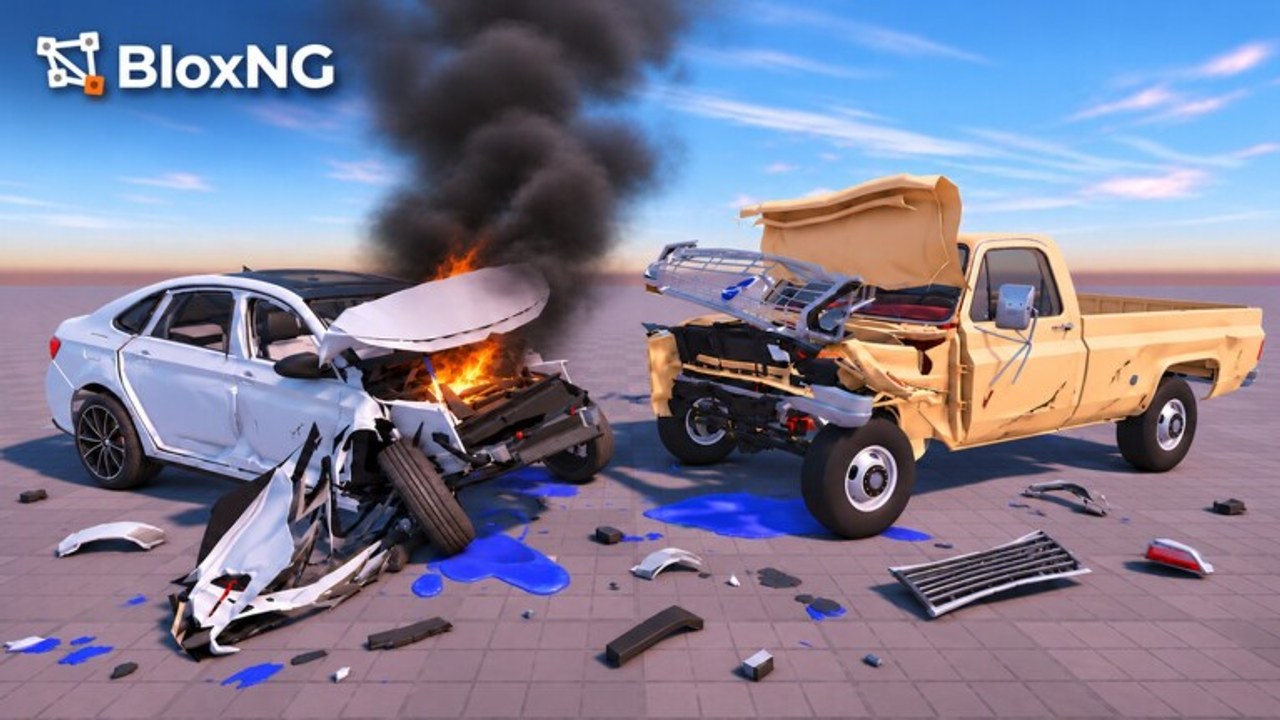
Soft-body crash physics look incredible in BloxNG — and they are heavier than arcade smash animations. When several cars crumple at once, glass shards spawn, doors hang, and tyres detach, weaker devices hitch hard. This performance tips tool page gives practical checklist-style advice for Mobile, Desktop/PC, Tablet, and Console players sharing 10-player servers in Deform Dynamics’ early beta. Use it beside the Impact Checklist, Controls, and Getting Started so your showcase hits stay smooth enough to aim.
Approximate audience energy (~2.5M+ visits, 22k+ peak CCU-style spikes, 10k+ favorites, ~93% likes) means event weeks such as the live Mystery Update can pack lobbies. Performance hygiene matters more when every seat is full.
Why soft-body lag feels different
Arcade wrecks often swap to a cheap ragdoll or explosion. BloxNG deforms metal where you hit, then keeps simulating damaged parts. Multi-car pileups multiply:
- Collision contacts
- Debris and glass
- Hanging assemblies still in the world
- Network updates across up to 10 players
If your frame time spikes only during chaos — not on empty scout laps — you are seeing soft-body cost, not a broken install.
Universal checklist (all platforms)
- Close background apps / browser tabs eating RAM.
- Prefer a quieter server if your goal is one clean crumple study.
- Clear abandoned husks from your immediate lane when etiquette allows (Players).
- Avoid stacking heavy scripts + max graphics + multi-car Auto Crash loops (Scripts Hub).
- Rejoin after long sessions — beta memory creep is real.
- Update Roblox client and GPU drivers (Desktop) before blaming the experience.
- Lower particles / quality one step at a time; retest the same wall hit.
- Film short clips instead of 20-minute unbroken pileup streams on weak hardware.
Tick these before you chase perfect angles from Crash Physics.
Desktop / PC tips
Desktop usually has the most headroom, but creators still tank frames by maxing everything during highway chaos.
- Cap FPS to a stable number your machine holds in a 3-car wreck (for example 60) instead of unlocked tearing.
- Drop shadow and lighting quality before you drop resolution — crumple silhouette matters more than fancy shade.
- Disable overlays you do not need (extra Discord hardware accel conflicts, unused recording plugins).
- If you use executors for Barrage or admin commands, test performance with scripts off to isolate cost.
- Wired Ethernet or strong Wi-Fi reduces rubber-banding that feels like “physics lag” but is networking.
Mobile and Tablet tips
Touch devices feel soft-body cost first.
- Play in landscape with a cool, ventilated grip — thermal throttle is the silent killer mid-chase.
- Lower Roblox graphics quality until a single frontal crumple stays aimable (Controls).
- Turn off background downloads and battery savers that suddenly slash clocks mid-session.
- Avoid filming 4K screen recordings while maxing in-game quality.
- Hop to a less crowded server when Mystery Update peaks fill every seat.
- Prefer prop practice over endless traffic chains when learning (Getting Started).
If steering inputs feel delayed, confirm it is frame time — not sensitivity — before rewriting your whole technique.
Console tips
Consoles are consistent but not invincible when ten deformed cars share a landmark.
- Ensure the console has airflow; rest mode heat carries into the next session.
- Close other games / apps occupying RAM.
- If the experience offers quality modes through Roblox settings, prefer stability for chase clips.
- Use shorter boost approaches (Nitro & Boosts) so you are not launching into 8-car mesh soup on purpose.
- Reboot the console after multi-hour beta nights.
Reducing lag during multi-car pileups
When the highway is already a sculpture garden:
- Do not add to it — take your showcase to a clear wall (Impact Checklist).
- Break line of sight — drive away so distant wrecks cost less on some clients.
- Stagger stunts — agree on turns in friend groups instead of everyone boosting at once.
- Disable cosmetic extras — nametag-heavy UIs and extra ESP-style script visuals compound cost.
- Reset your own car when it is a non-driveable hulk blocking your next approach.
- Server hop — 10-player caps mean a fresh lobby is often the best “optimization.”
Creators: pre-scout a clean prop during Update 1 map tours so you are not forced into the busiest intersection for footage.
Graphics priority order (what to lower first)
- Shadows / lighting effects
- Particles / post-process
- Draw distance / dense world detail
- Resolution scale
- Only then give up on filming complex pileups — switch to single-car crumple stories
Readable soft-body folds look better at stable 40–60 FPS than at unlocked 120 that dips to 15 on impact.
Session plan for weak hardware
- Scout lap at lowest comfortable settings.
- One textbook frontal — confirm crumple still readable.
- Raise one graphics step only if headroom remains.
- Attempt one oblique or side hit.
- Stop before a multi-car mess if frame time already hurts aiming.
- Rejoin fresh before a Discord showcase night.
Related tools and guides
- Impact Checklist
- Controls
- Getting Started
- Tools Hub
- Police Chases — chase chaos is a common lag trigger
- Updates — new maps and events change hotspots
Performance is part of soft-body craft. Stable frames let you place speed, angle, and weight on purpose — which is the whole point of BloxNG.
Frequently Asked Questions
Quick answers for BloxNG crash physics, codes, scripts, and updates.
Why does BloxNG lag more during pileups?
Soft-body deformation, debris, and multi-car contacts cost more than arcade smash animations. Fewer overlapping wrecks and lower shadows usually help first.
What should mobile players lower first?
Graphics quality and background apps, then avoid thermal throttle in landscape. Practice single-prop hits before multi-car chaos.
Do scripts make performance worse?
They can — especially visual extras stacked on Auto Crash chaos. Test with scripts off; see the Scripts Hub and admin-commands notes.
Is server hopping a valid fix?
Yes. With a 10-player cap, a clean lobby often outperforms any settings tweak when landmarks are already full of husks.
Where do I go for crash setup after optimizing?
Use the Impact Checklist, then Controls and Getting Started so stable frames turn into intentional crumples.