BloxNG Scripts
Feature summaries, Barrage loader notes, and safety guidance for players who choose to use executors.
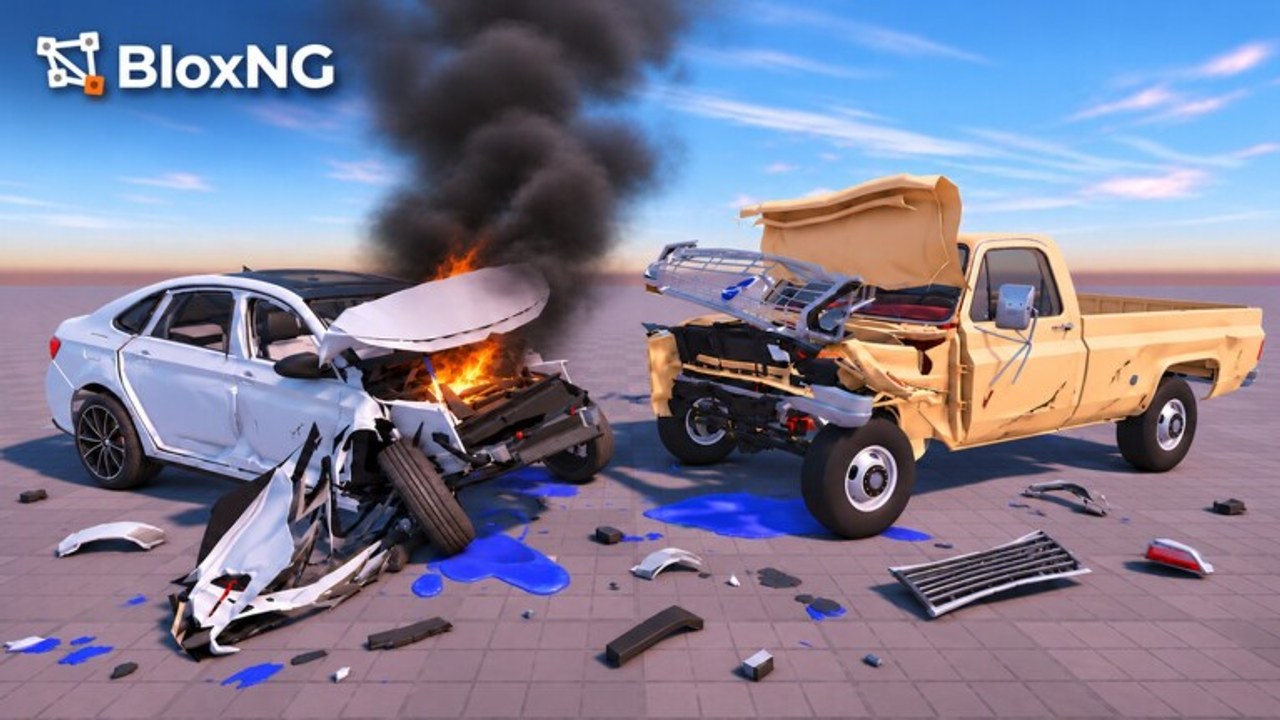
This Scripts Hub covers community automation used in BloxNG [CRASH PHYSICS] — the early-beta Roblox soft-body vehicle sim from Deform Dynamics. Scripts are not required to enjoy crumpling metal, snapping wheels, or hanging doors. They exist because some players want Auto Drive loops, chase helpers, or admin-menu utilities on Desktop.
Using an executor can violate Roblox Rules of Conduct and risk account moderation. This wiki documents what popular loaders claim to do so you can make an informed choice — it does not encourage ban evasion, paid malware, or sharing accounts.
Quick links
- Barrage script — Auto Drive, Highway, Auto Chase, Auto Crash, Boost Mods, Cash Out, Infinite Nitro, Auto Buy Cars, plus the Barrage loadstring
- How to use scripts — executor basics, paste steps, and a safety checklist
- Admin commands (Infinite Yield) — generic admin-menu loadstring, session tools, and BloxNG caveats
- Getting Started — play the game normally first
- Codes Hub — official promos are unrelated to executors
What players usually want from BloxNG scripts
BloxNG servers hold up to 10 players and focus on soft-body crash physics: impact location, speed, angle, and vehicle weight change how panels fold and which parts break. Script interest clusters around a few jobs:
- Traversal — Auto Drive / Highway helpers that keep you moving between crash spots on larger maps (including post–Update 1 map changes).
- Combat / chaos — Auto Chase and Auto Crash toggles that steer you into other cars for spectacle.
- Economy shortcuts — Cash Out, Infinite Nitro, Auto Buy Cars style toggles that reduce grinding before you test a chassis.
- Utility — Infinite Yield–style admin menus for fly, ESP, or quality-of-life commands common across Roblox experiences.
Feature names change when script authors update. Always re-read Barrage after a major game patch such as airbags or BloxNG.Drive updates — soft-body changes can break hit detection assumptions inside a script.
Barrage at a glance
The Barrage loader is commonly pasted as:
loadstring(game:HttpGet("https://barrage.cc/loader"))()Reported feature buckets include Auto Drive, Highway, Auto Chase, Auto Crash, Boost Mods, Cash Out, Infinite Nitro, and Auto Buy Cars. Deep dive, usage order, and caveats live on the Barrage page. Pair it with how to use scripts if you have never attached an executor to Roblox before.
Infinite Yield and generic admin menus
Many players also keep an Infinite Yield style admin menu in their executor library. These menus are game-agnostic: they expose commands that may or may not function inside BloxNG’s custom vehicle controller. Expect some commands to no-op when the experience locks character physics into a seat. Prefer vehicle-aware scripts for driving assists; use generic menus only for client-side QoL you already understand. Full loadstring, enable order, and safety notes live on the Admin Commands page.
Safety summary (read before anything else)
| Risk | Why it matters | Mitigation |
|---|---|---|
| Account moderation | Automating gameplay can be treated as cheating | Use alt accounts; never risk a main with limited items |
| Malware loaders | Fake “BloxNG script” EXEs steal cookies | Stick to known executor brands; never run random .exe from Discord DMs |
| Keyloggers in “free keys” | Phishing pages mimic key systems | Type keys only on official executor sites |
| Session hijack | Paste-stealer sites ask for .ROBLOSECURITY | Never share cookies or backup codes |
| Broken saves | Aggressive money scripts can desync client/server | Prefer mild assists; rejoin if HUD cash looks wrong |
Full walkthrough: How to use scripts safely.
Scripts versus skill in a crash physics game
Soft-body outcomes still depend on where you hit and how fast. A Boost Mod cannot invent crumple detail if you glance a barrier at low speed. Conversely, Auto Crash spam on a crowded 10-player server can ruin sessions for others and draw reports faster than a quiet Auto Drive farm. If your goal is cinematic deformation, study crash builds and vehicle tiers — then decide whether a script even helps the clip you want.
Creators filming overview or crash content often drive manually for readable footage. Scripts are a convenience layer, not a replacement for learning throttle control after airbags and map updates land.
When scripts break after a patch
BloxNG is early beta with frequent iteration (Mystery Update windows, Update 1 map/airbags, drive revisions). After any patch:
- Rejoin on a fresh server.
- Re-execute the loader only after the world finishes streaming.
- Toggle one feature at a time to see what still hooks.
- Check Discord (invite) and script UI changelogs — not random comment spam.
- Fall back to manual play using Guides if the loader errors.
What this hub will not do
- Host malware mirrors or cracked executor downloads
- Promise “undetectable forever” status
- Confuse promo codes with script loadstrings
- Invent YouTube IDs or fake feature lists
Related wiki paths
- Barrage details
- Executor how-to
- Admin commands (Infinite Yield)
- Updates — know what changed before blaming a script
- Tier List Hub — spend time on cars that match your crash role
- Players — community context
Play fair when you can. If you still choose automation, keep it minimal, keep it on accounts you can afford to lose, and keep learning the soft-body sandbox that makes BloxNG popular in the first place.
Frequently Asked Questions
Quick answers for BloxNG crash physics, codes, scripts, and updates.
Do I need scripts to play BloxNG?
No. Soft-body crashes, maps, and progression work without executors. Scripts are optional automation with real account risk — start with Getting Started.
What is the Barrage loadstring for BloxNG?
Players commonly run `loadstring(game:HttpGet("https://barrage.cc/loader"))()`. Feature notes and caveats are on the Barrage page.
Are these scripts safe?
No script is risk-free. Malware and bans are both possible. Follow how to use scripts and prefer alt accounts.
Why did my script stop working after an update?
Beta patches (maps, airbags, drive systems) break hooks. Rejoin, re-run the loader, test toggles one by one, and read Updates.
Where is the Infinite Yield admin menu documented?
See Admin Commands for the loadstring, vehicle-seat caveats, and how it pairs with Barrage.